Authentication for web apps and games
Sign players in without running your own auth server.
auth4.dev handles sign-in for your web app, game client and game API. Use email codes, Discord, Steam, Google, Apple, Microsoft, guest accounts and device sign-in, then verify short-lived tokens on your own server.
One player, one user ID, from the first match onwards
Follow a player from their first session to your game API. Each step links to the guide that covers it.
Start as a guest, with no form
Players start playing straight away. Your game creates a guest session in one call. A guest is a real account with a stable user ID.
Starting a guest in the browserExcerpt from examples/browser/src/main.tsplayAsGuest.addEventListener("click", () => { void auth4 .signInAsGuest() .then(showGuest) .catch((error: unknown) => { status.textContent = error instanceof Auth4BrowserError ? error.message : "Unable to start a guest session."; }); });Progress saves under one user ID
The guest's user ID is the access token's
sub. Store saves, unlocks and scores against it. A guest with nothing linked can be queued for deletion after 30 days without recorded activity, so invite players to save.Upgrade and keep the same
subWhen a player wants to keep their progress, they link Steam, Discord or an email address. auth4.dev attaches it to the same user, so
subdoesn't change. If that account already belongs to another player, the upgrade is refused and nothing is merged.Opening the hosted upgrade windowExcerpt from examples/browser/src/main.tsfunction saveGuestProgress(provider?: SocialProvider): void { auth4.upgradeGuest(provider ? { provider } : {}).then( () => void showSignedIn().catch(() => showSignedOut()), (error: unknown) => { if (!(error instanceof Auth4BrowserError)) throw error; if (error.code === "identity_in_use") { status.textContent = "That account already exists. Sign in to it, or link another one."; } else if (error.code === "invalid_session") { showSignedOut("Your guest session ended. Play as a guest again or sign in."); } else if (error.code === "popup_blocked") { status.textContent = "Allow pop-ups for this page, then try again."; } // cancelled and window_closed leave the guest session unchanged. }, ); }Carry on from a console or handheld
With no keyboard or browser, the game shows a short code instead. The player checks it on their phone, signs in to the same account and approves. The game polls until its tokens arrive.
Your game API checks a short-lived token
Your server verifies each access token against your project's issuer and audience. Tokens expire after five minutes, and guests carry a claim you can check. Load the player's data by
sub.Checking the token on your serverExcerpt from examples/server/shared/guest-only.tsconst claims = await authenticateRequest(request, client); if (!claims) return unauthorizedResponse(); if (claims.isGuest) { // The token carries "auth4_guest": true. Ask the player to save their progress first. return Response.json({ error: "account_required" }, { status: 403 }); } return Response.json({ subject: claims.sub });
Works with your engine and stack
SDKs for game engines, web apps and servers. Each has a quickstart and a runnable example in the repository.
Engines
Web
Sign-in methods
Code from the examples
Unity
Device sign-in, guest play and rotating refresh tokens in C#. Unity quickstart
packages/sdk-unity/Samples~/DeviceLogin/DeviceLoginSample.cs_client = new Auth4Client(new Auth4ClientOptions
{
TenantId = tenantId,
ClientId = clientId,
AuthOrigin = authOrigin,
Transport = new UnityWebRequestTransport(),
BrowserLauncher = new UnityBrowserLauncher(), // native platforms
UpgradeWindow = new WebGLUpgradeWindow(), // WebGL builds
});Godot
The same flows in GDScript for Godot 4. Godot quickstart
examples/godot/main.gd var options := Auth4ClientOptions.new()
options.tenant_id = tenant_id
options.client_id = client_id
options.auth_origin = auth_origin
options.redirect_uri = redirect_uri
_client = Auth4Client.new(options)
if not _client.configuration_error.is_empty():
_show("Configure the example in the Inspector: " + _client.configuration_error)
return
add_child(_client)
_client.session_changed.connect(_on_session_changed)Browser
Hosted login with authorization code and PKCE. Access tokens stay in memory. Browser quickstart
examples/browser/src/main.tsconst auth4 = new Auth4BrowserClient({
issuer: "https://auth.auth4.dev/t/ten_replace_with_your_tenant",
clientId: "cli_replace_with_your_browser_client",
redirectUri: `${window.location.origin}${window.location.pathname}`,
// Set to true when the application has allowBrowserRefresh enabled. The SDK then renews the
// access token in memory; a page reload still needs a new sign-in.
refresh: false,
});Next.js
Read the session in a server component and send signed-out players to hosted login. Next.js quickstart
examples/nextjs/app/vault/page.tsximport { redirect } from "next/navigation";
import { auth4 } from "../../lib/auth4";
export default async function Vault() {
const session = await auth4.getSession();
if (!session) redirect("/auth/login?returnTo=/vault");
const expires = new Date(session.accessTokenExpiresAt * 1_000).toISOString();
return (
<>
<h1>Your vault</h1>
<dl className="facts">
<dt>Player</dt>
<dd data-testid="player">{session.user.email ?? session.user.sub}</dd>
<dt>Access token valid until</dt>
<dd data-testid="expires">{expires}</dd>
<dt>Stays signed in after the access token expires</dt>
<dd>{session.refreshable ? "Yes, refreshed on the server" : "No"}</dd>
</dl>
</>
);
}Server
Verify access tokens in Node.js, Cloudflare Workers or Hono. Server quickstart
examples/server/shared/protected-endpoint.tsexport async function handleProtectedRequest(
request: Request,
client: Auth4ServerClient,
): Promise<Response> {
const claims = await authenticateRequest(request, client);
if (!claims) return unauthorizedResponse();
return Response.json({ subject: claims.sub, tenant: claims.tenant_id });
}What your players see
Hosted login runs on auth4.dev, so your app only redirects to it. These are the pages your players see, in the default theme and with a game's own branding. You set the colour, logo and page text in the console. Brand the hosted pages
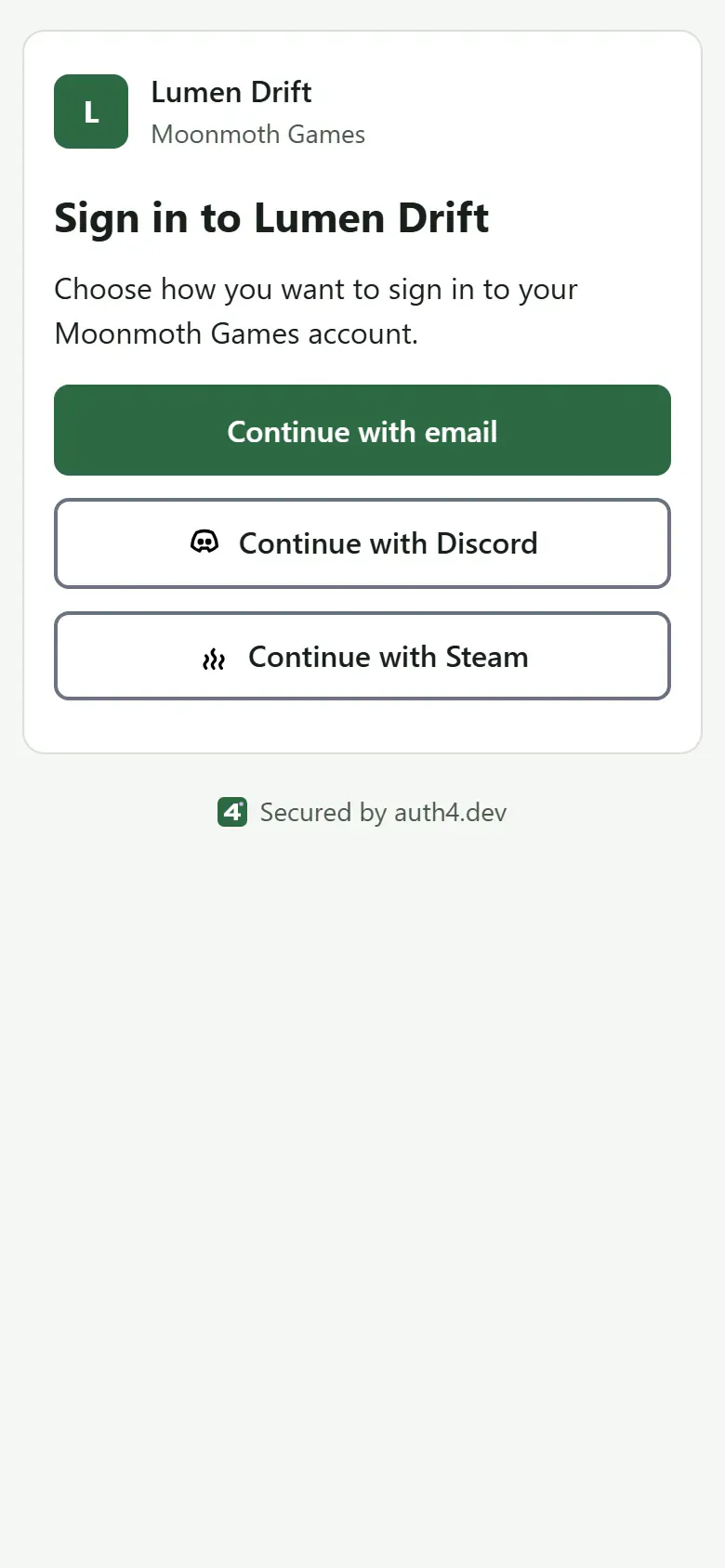
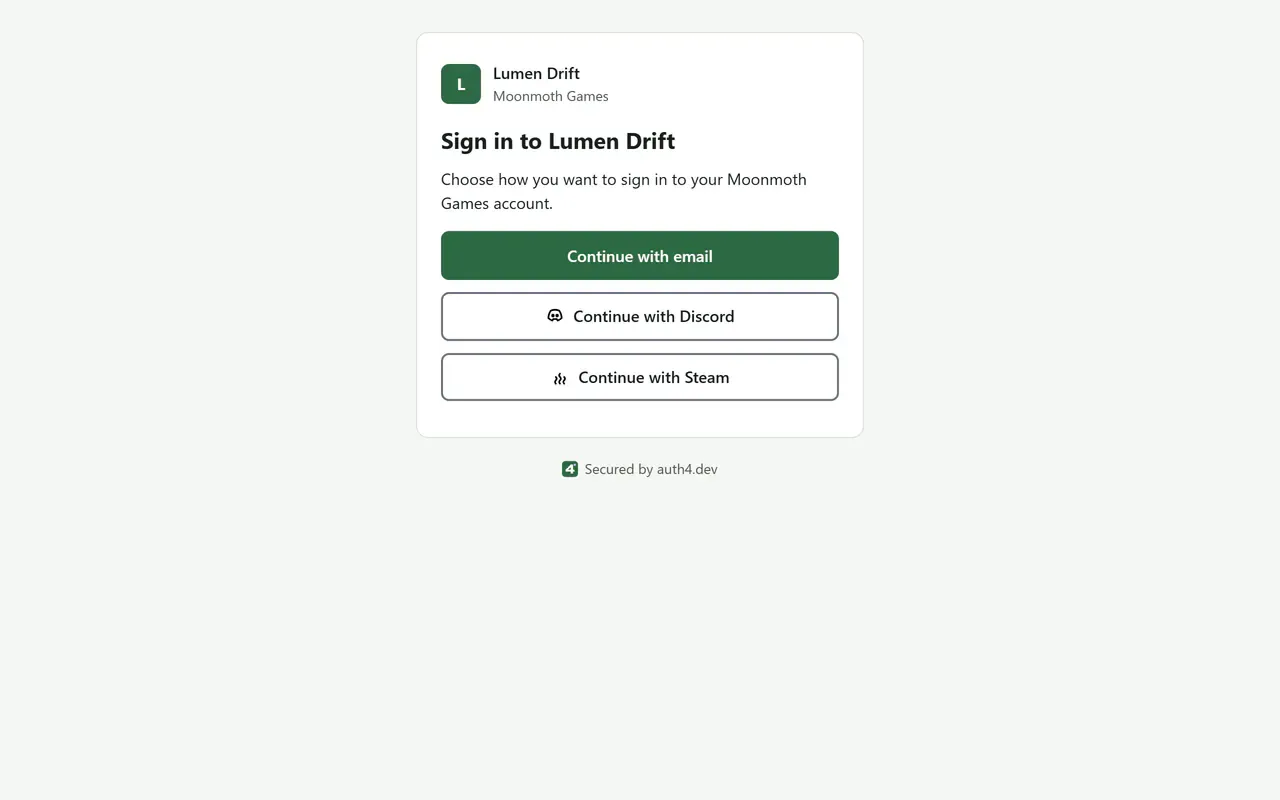
Sign-in method chooser, default theme
The sign-in page lists the methods you turn on for the application, such as email codes, Discord and Steam. Add a Steam button
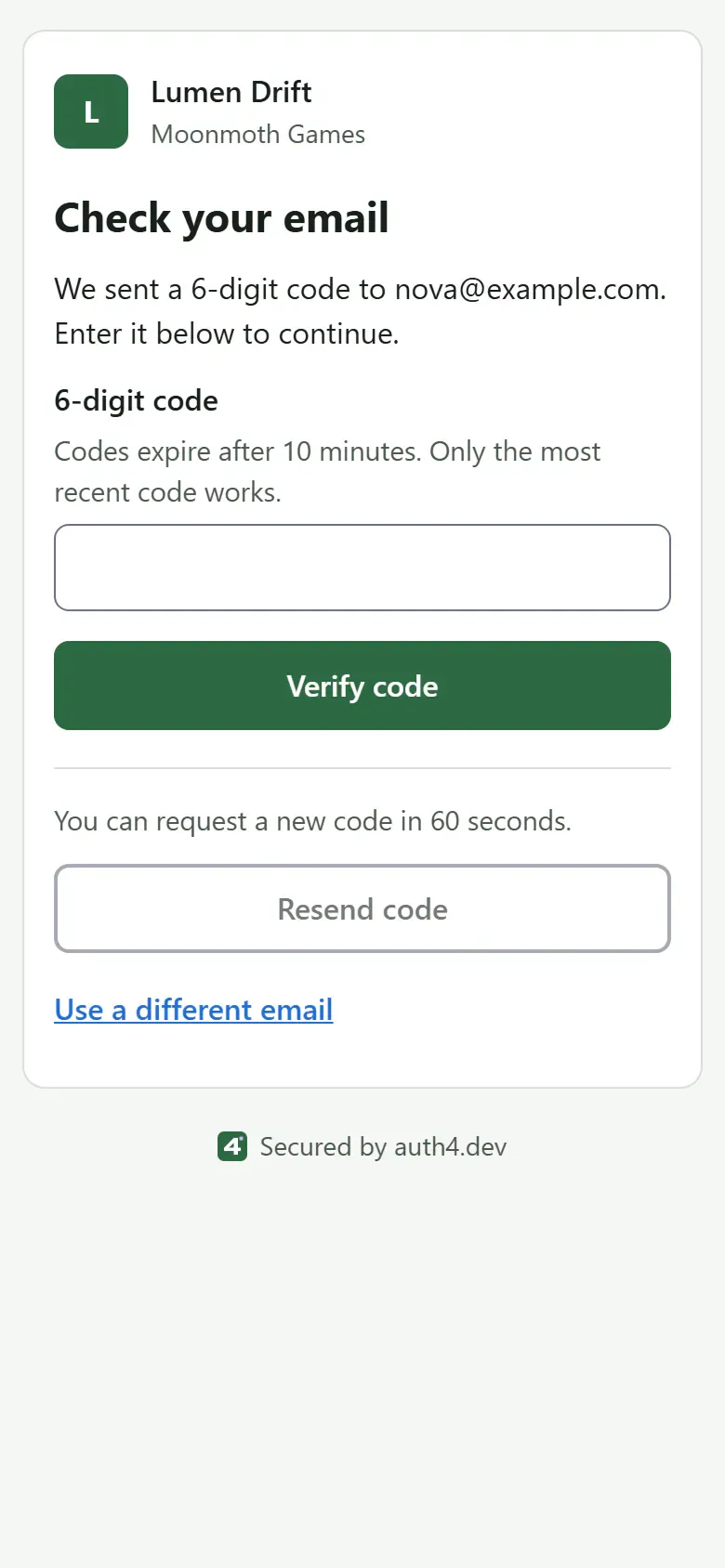
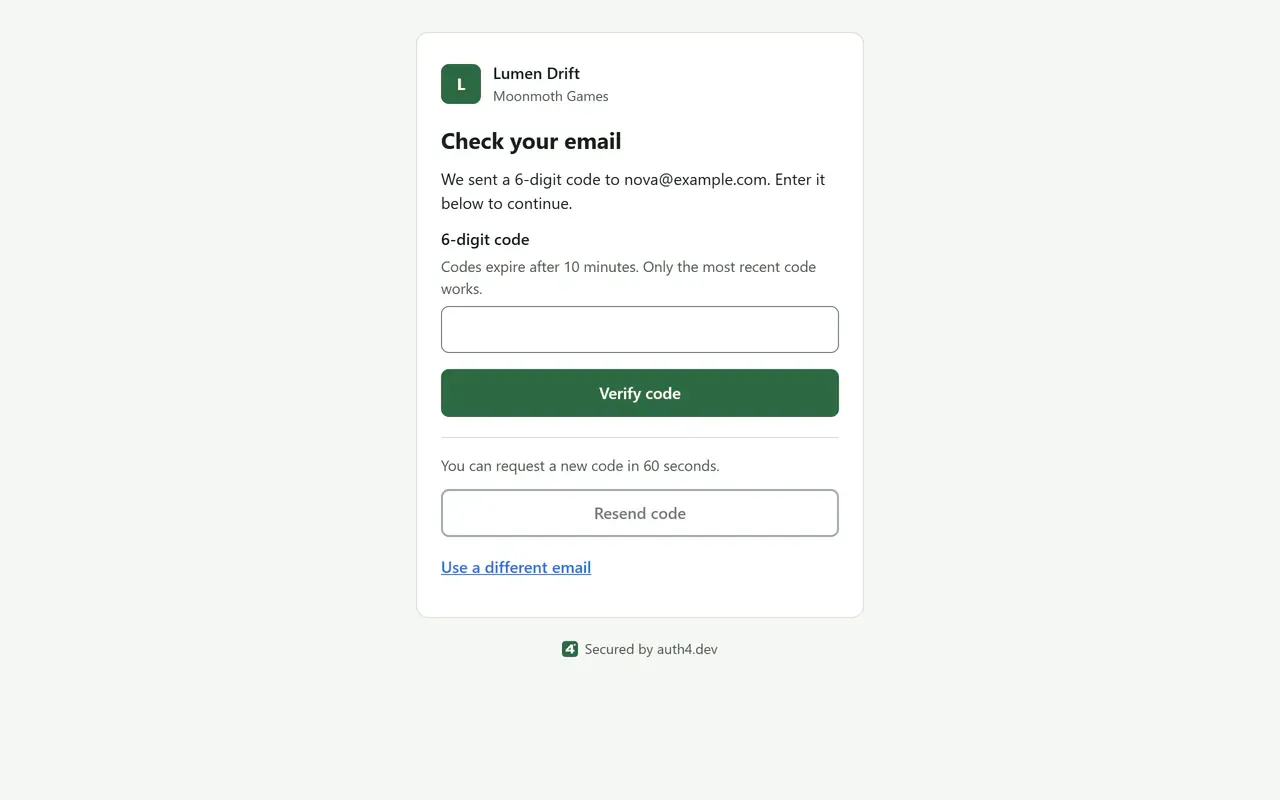
Email code entry, default theme
The player enters the six-digit code from their email. It works once, for ten minutes. Email codes
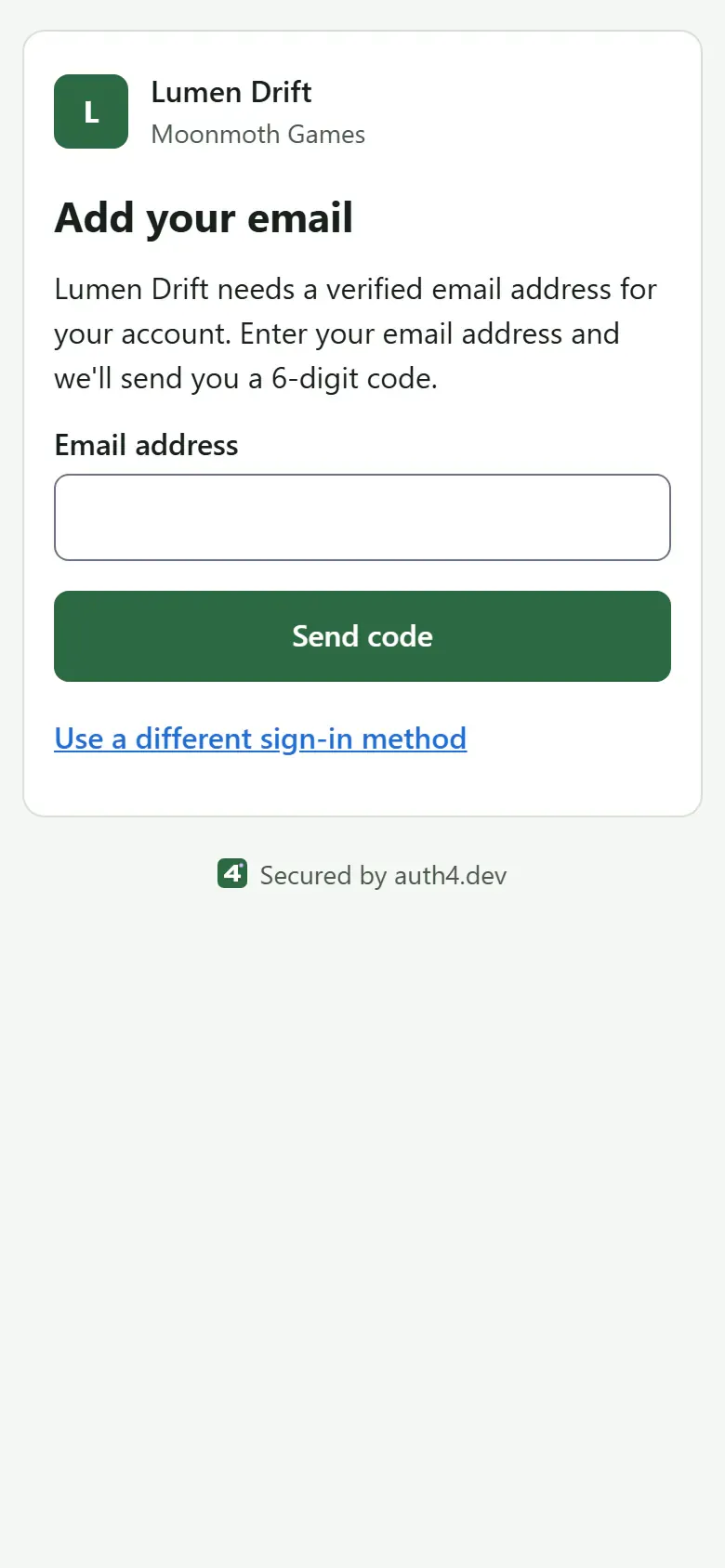
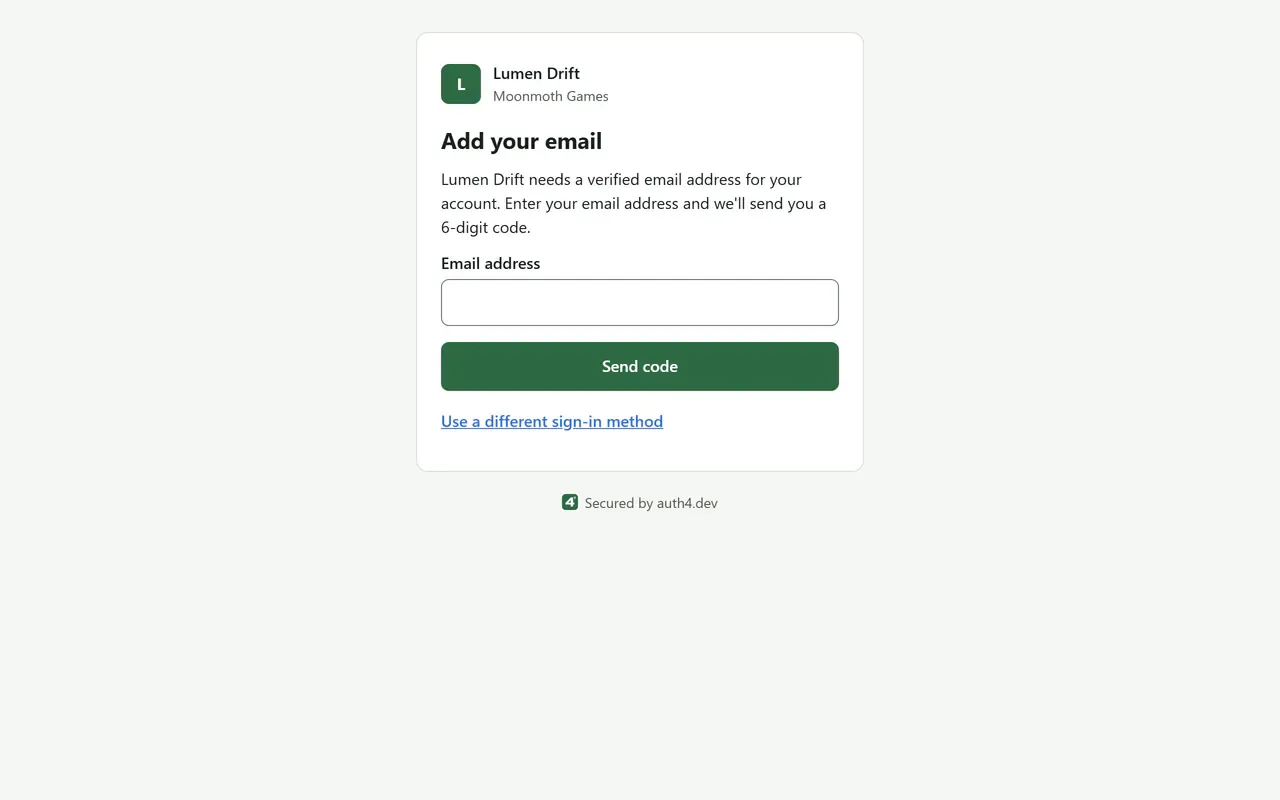
Steam 'Add your email' step, default theme
Steam doesn't share an email address, so the player can be asked to add and verify one before returning to your game. The verified email step
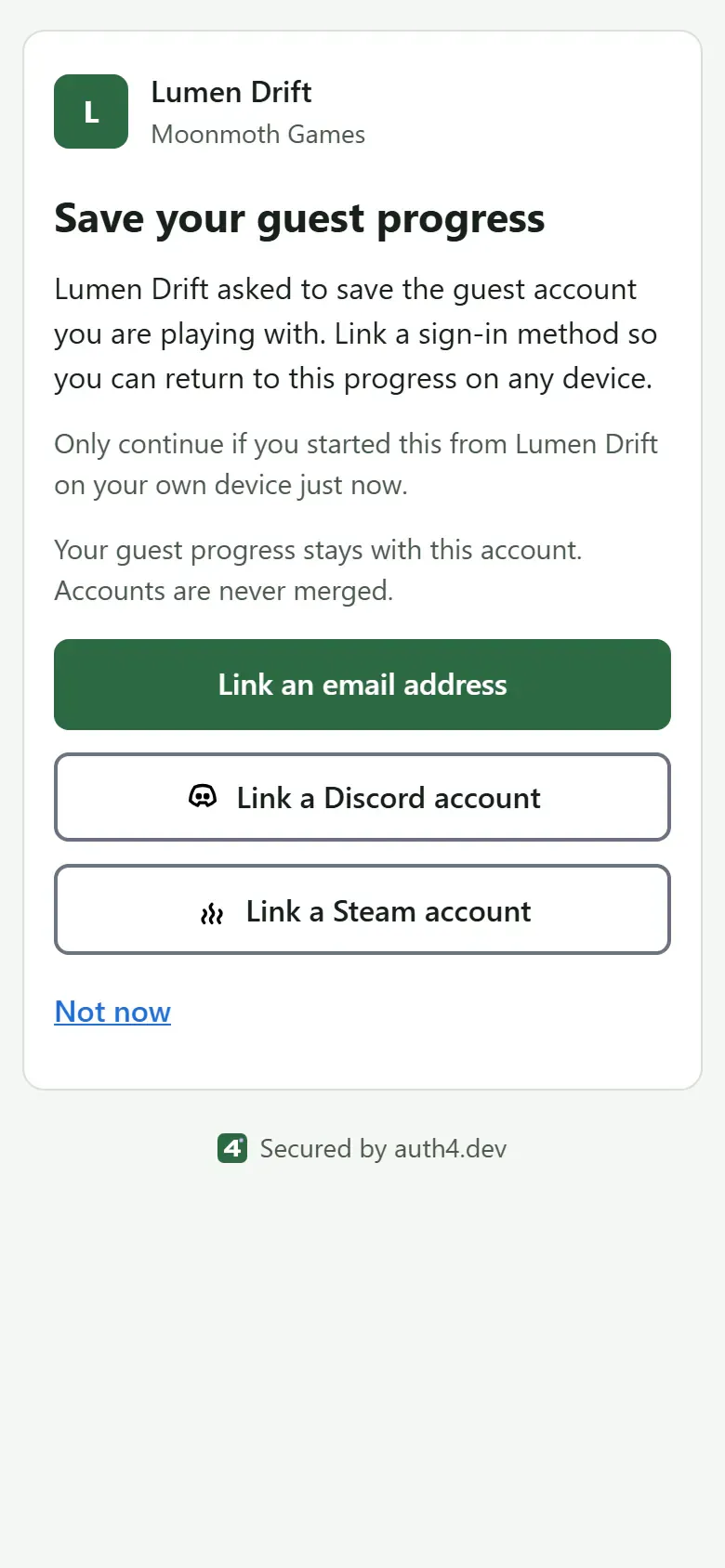
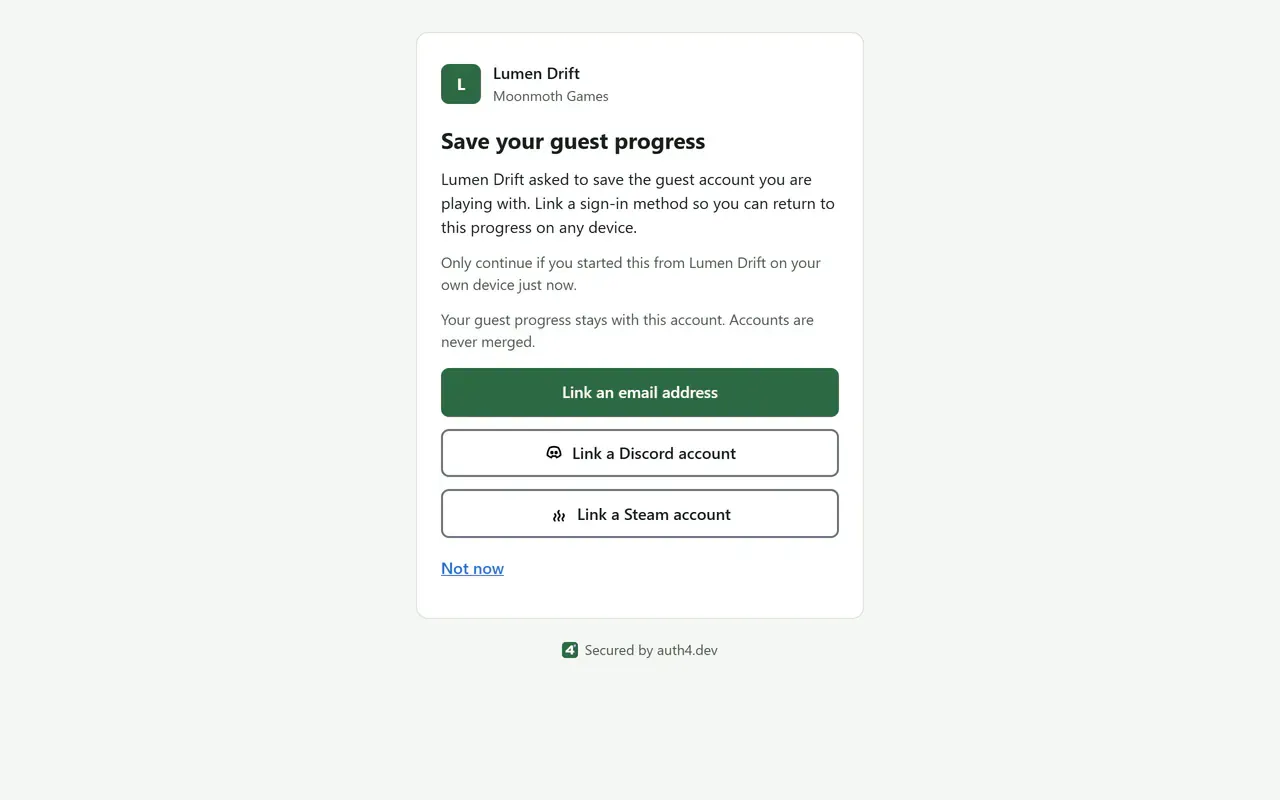
Guest upgrade, default theme
A guest keeps their progress and user ID by linking an email address, Discord or Steam. Guest upgrade paths
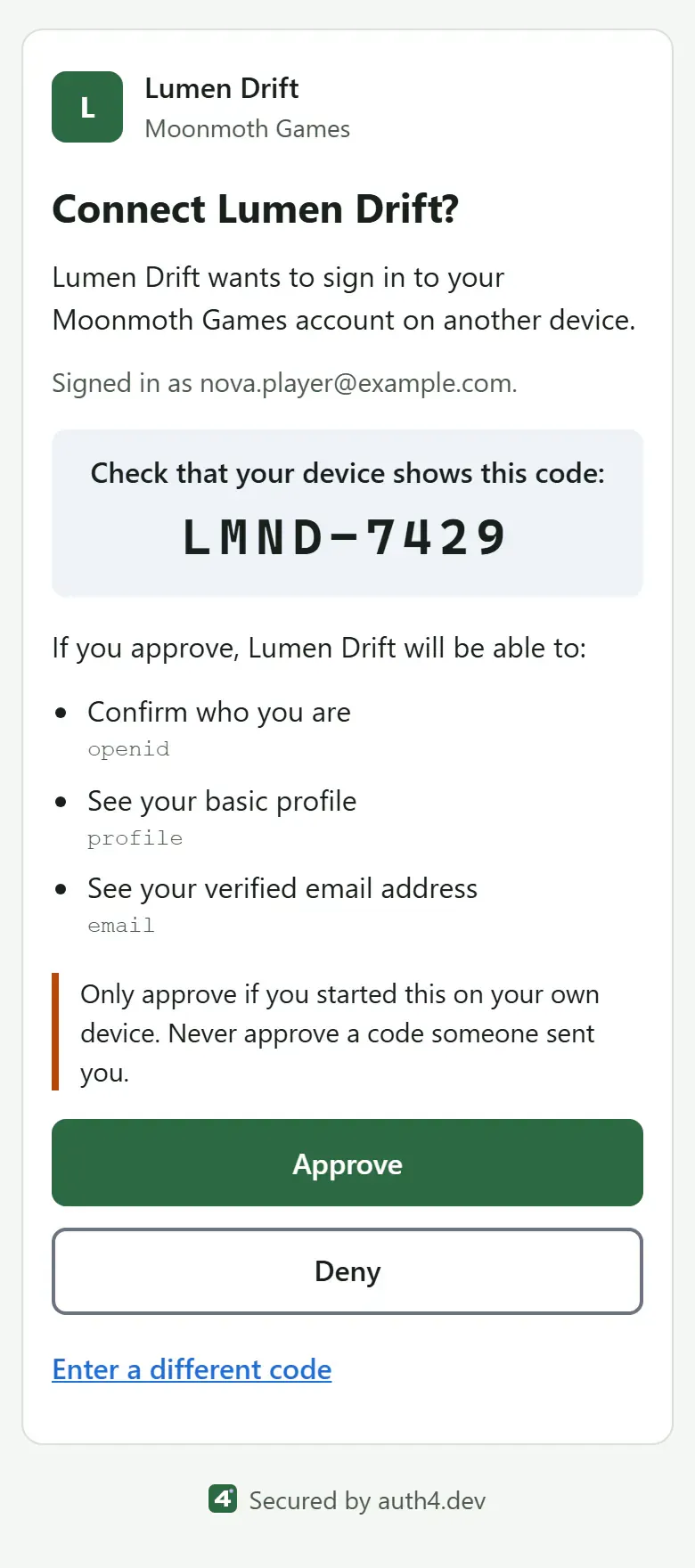
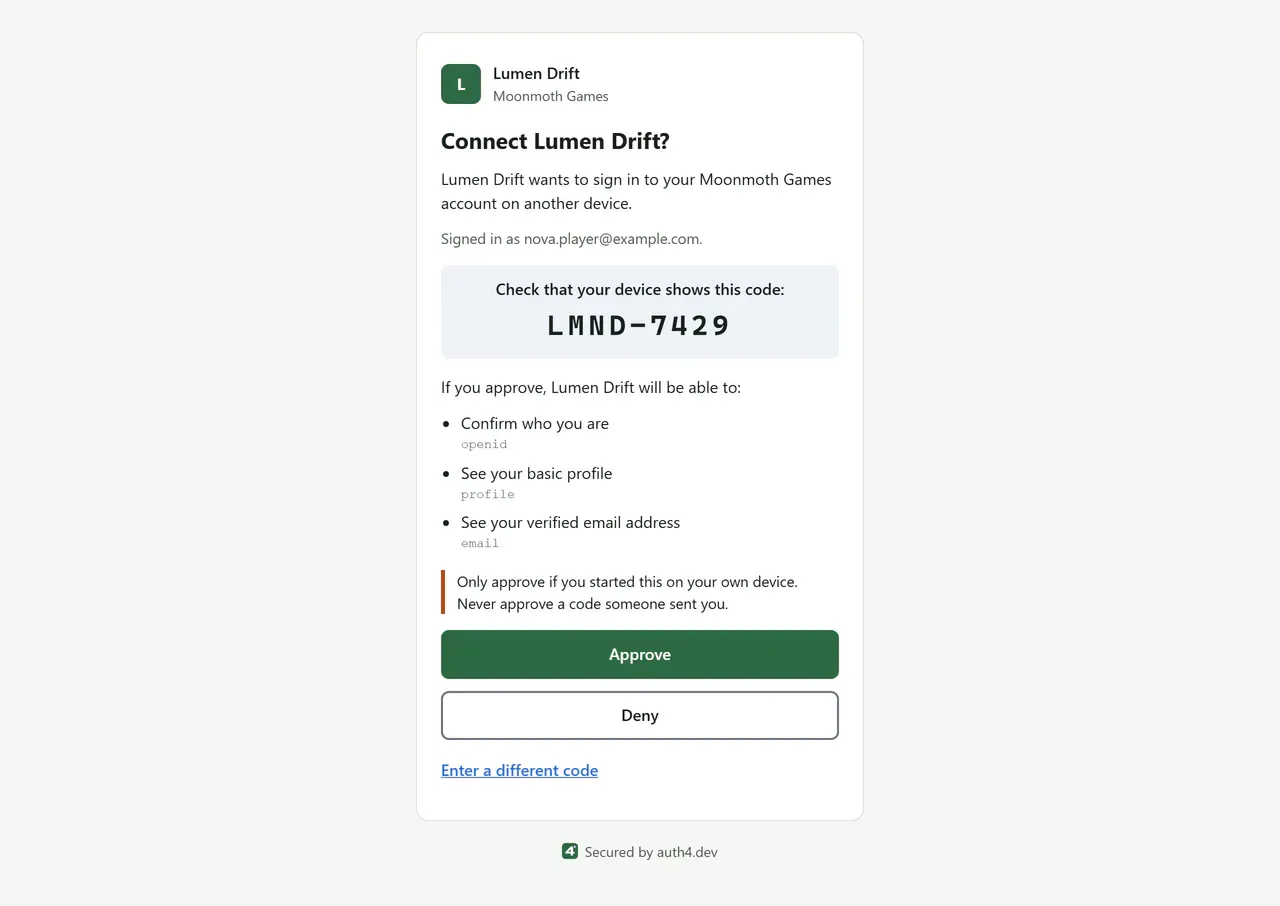
Device approval, default theme
On a phone or PC, the player checks the code their console shows and approves the sign-in. Device sign-in
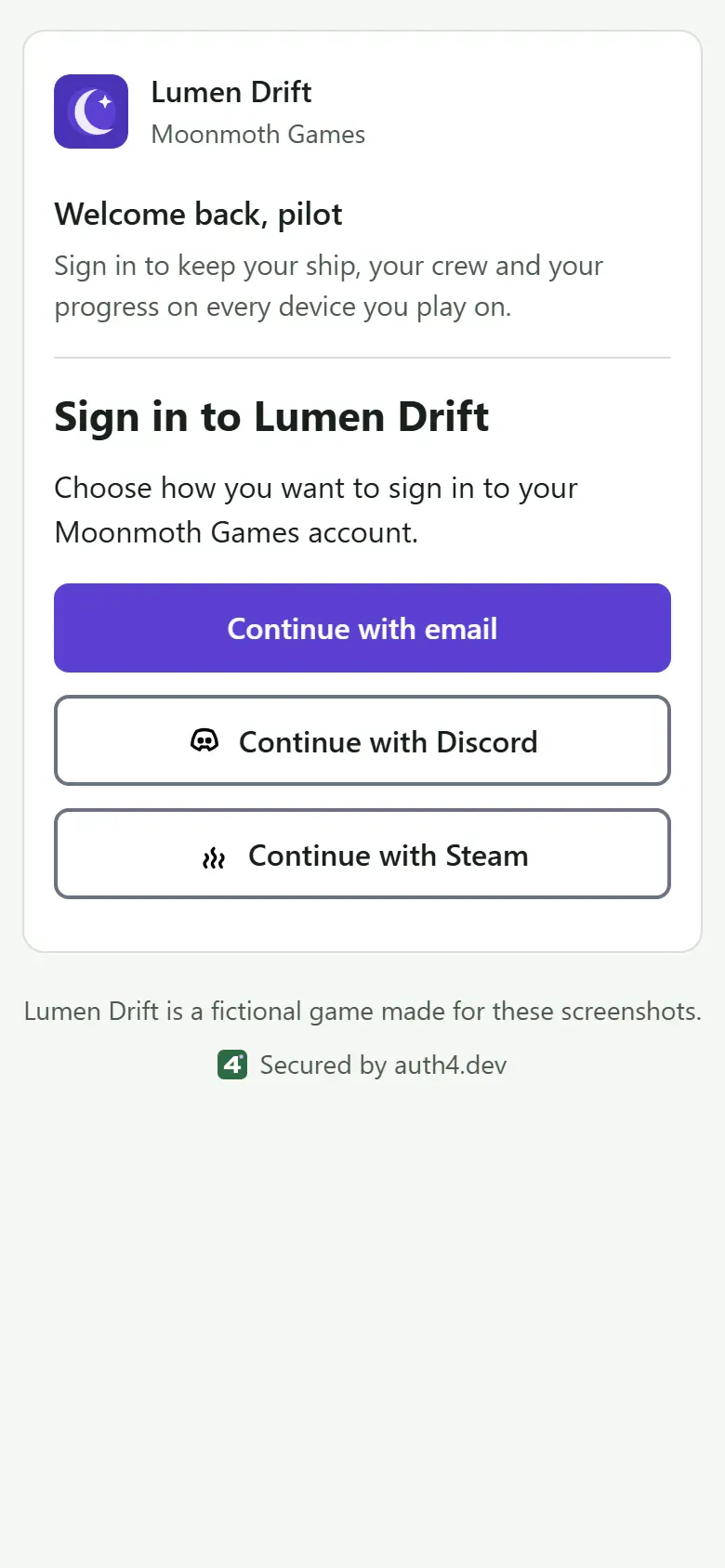
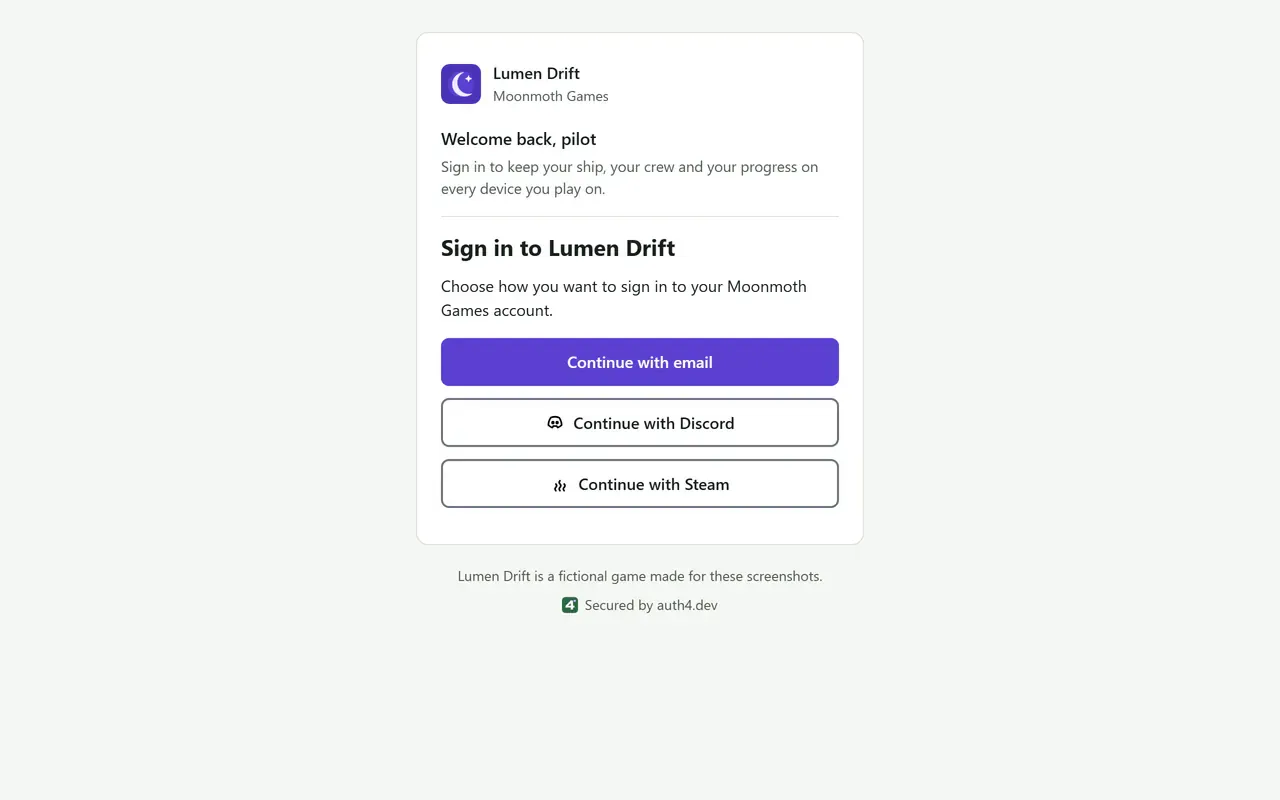
Sign-in method chooser, branded for Lumen Drift
The sign-in page lists the methods you turn on for the application, such as email codes, Discord and Steam. Add a Steam button
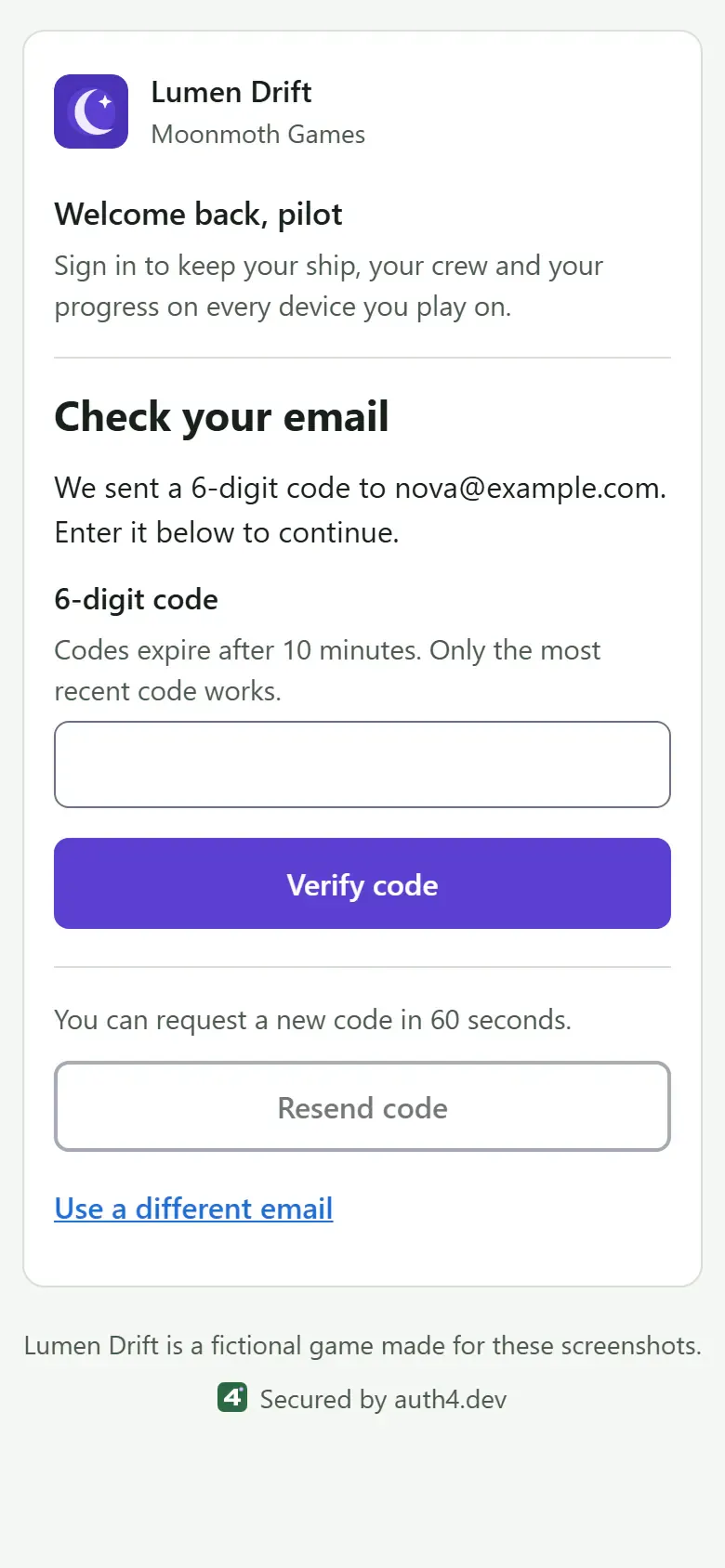
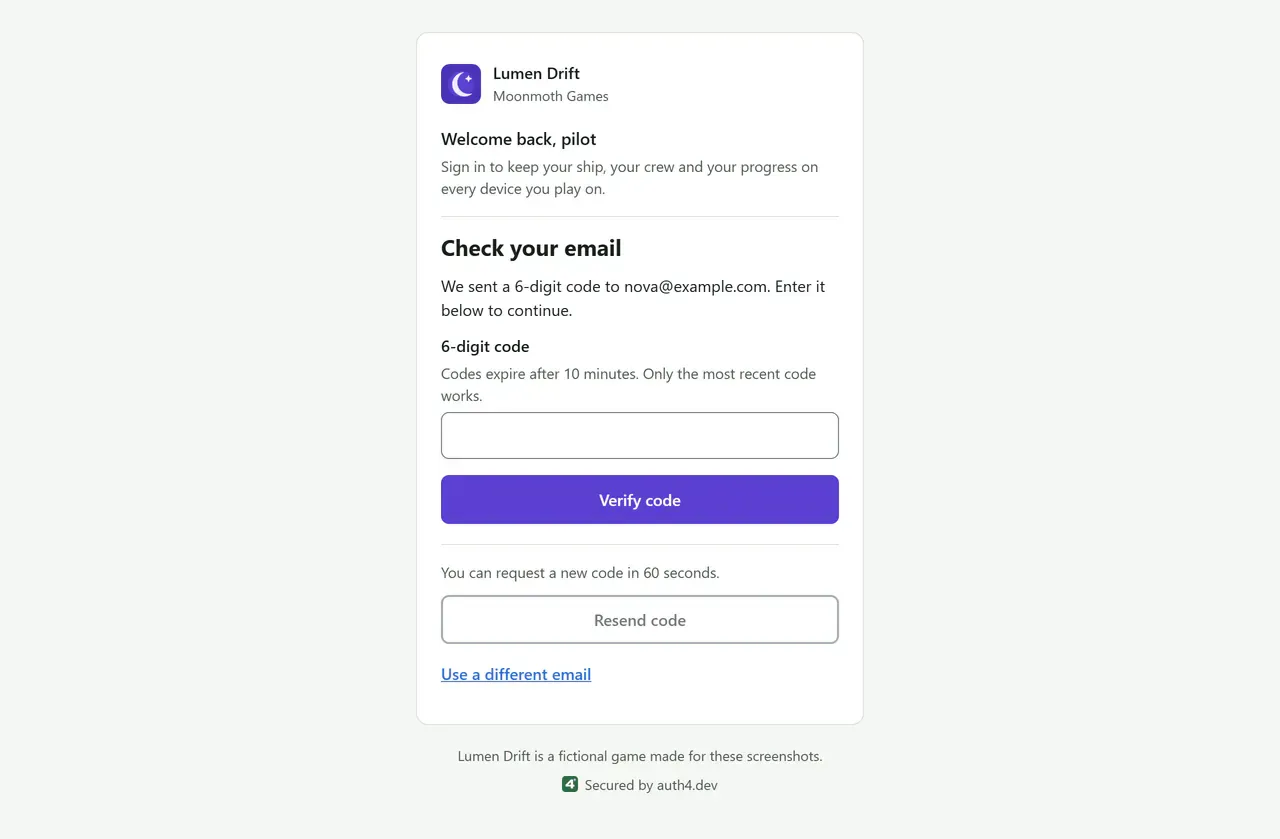
Email code entry, branded for Lumen Drift
The player enters the six-digit code from their email. It works once, for ten minutes. Email codes
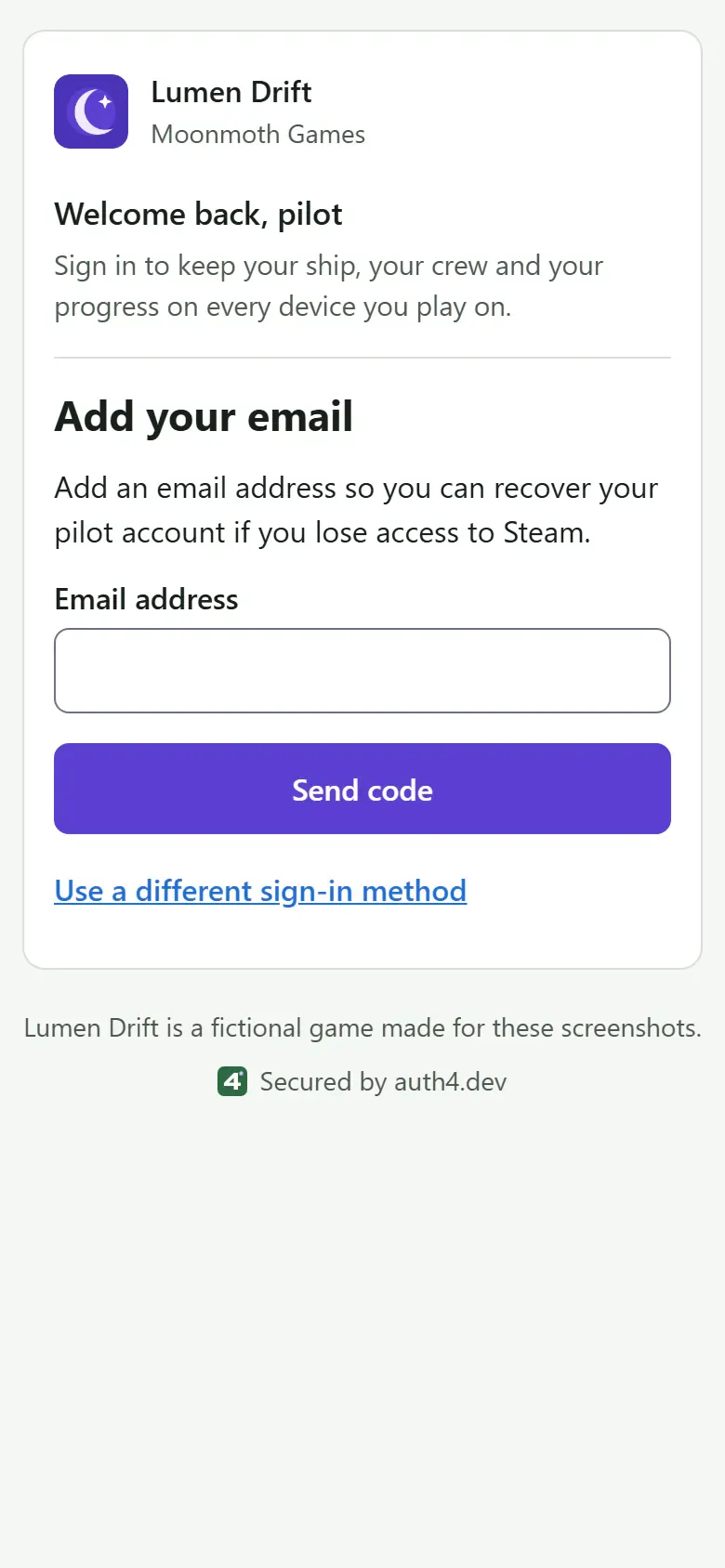
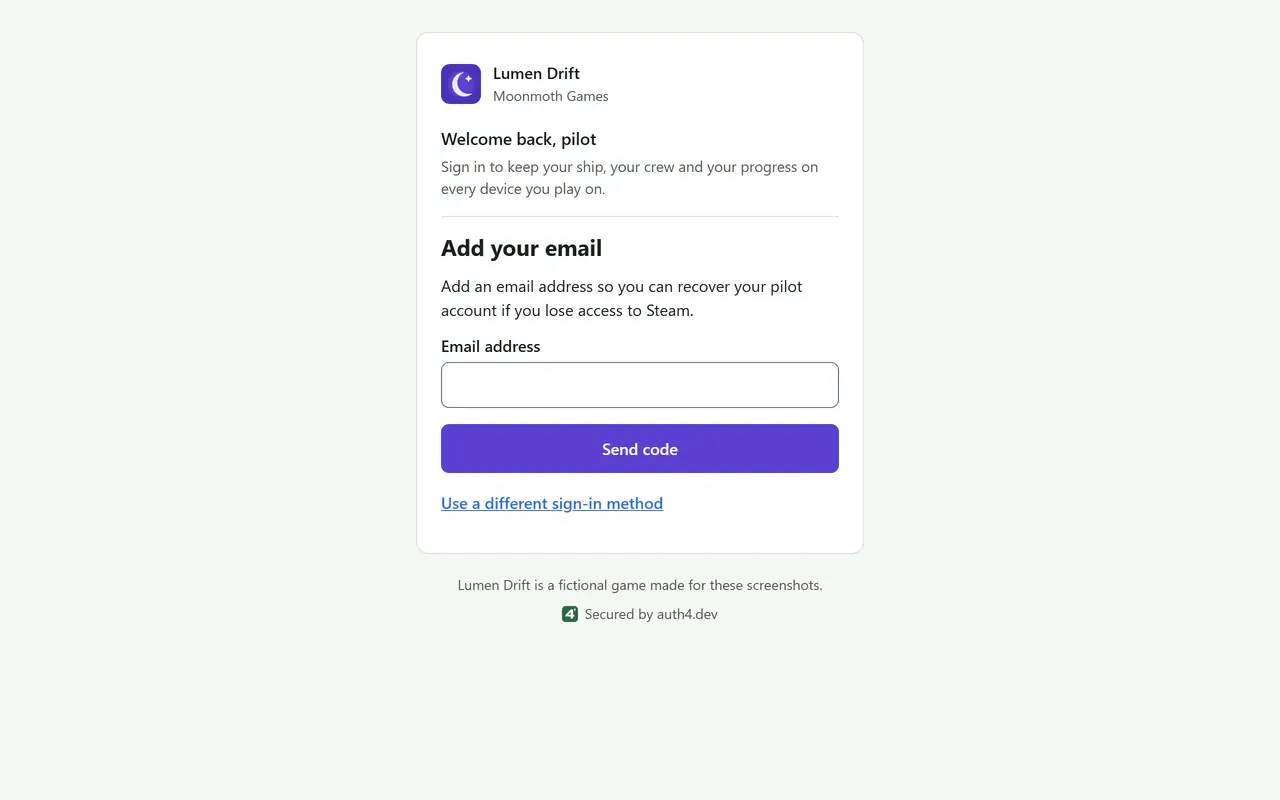
Steam 'Add your email' step, branded for Lumen Drift
Steam doesn't share an email address, so the player can be asked to add and verify one before returning to your game. The verified email step
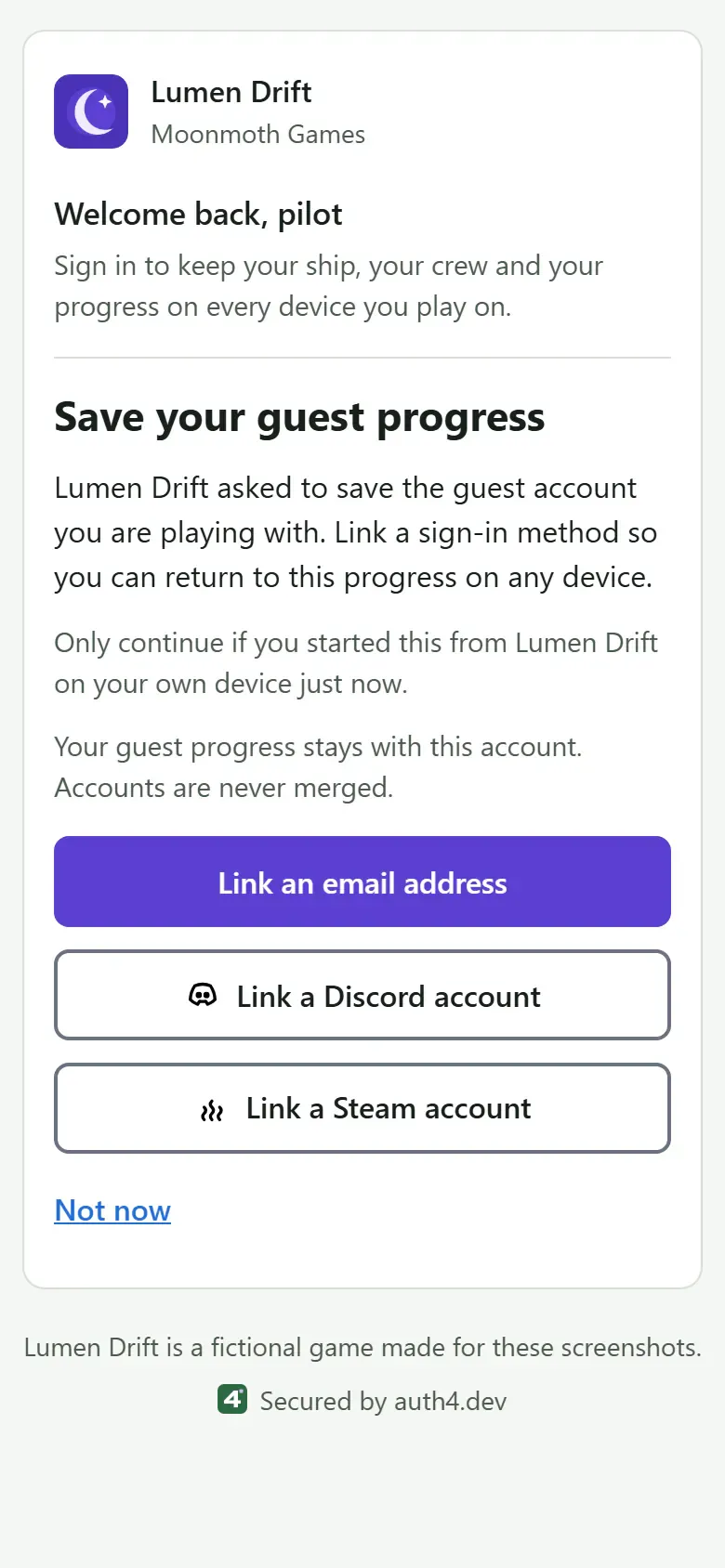
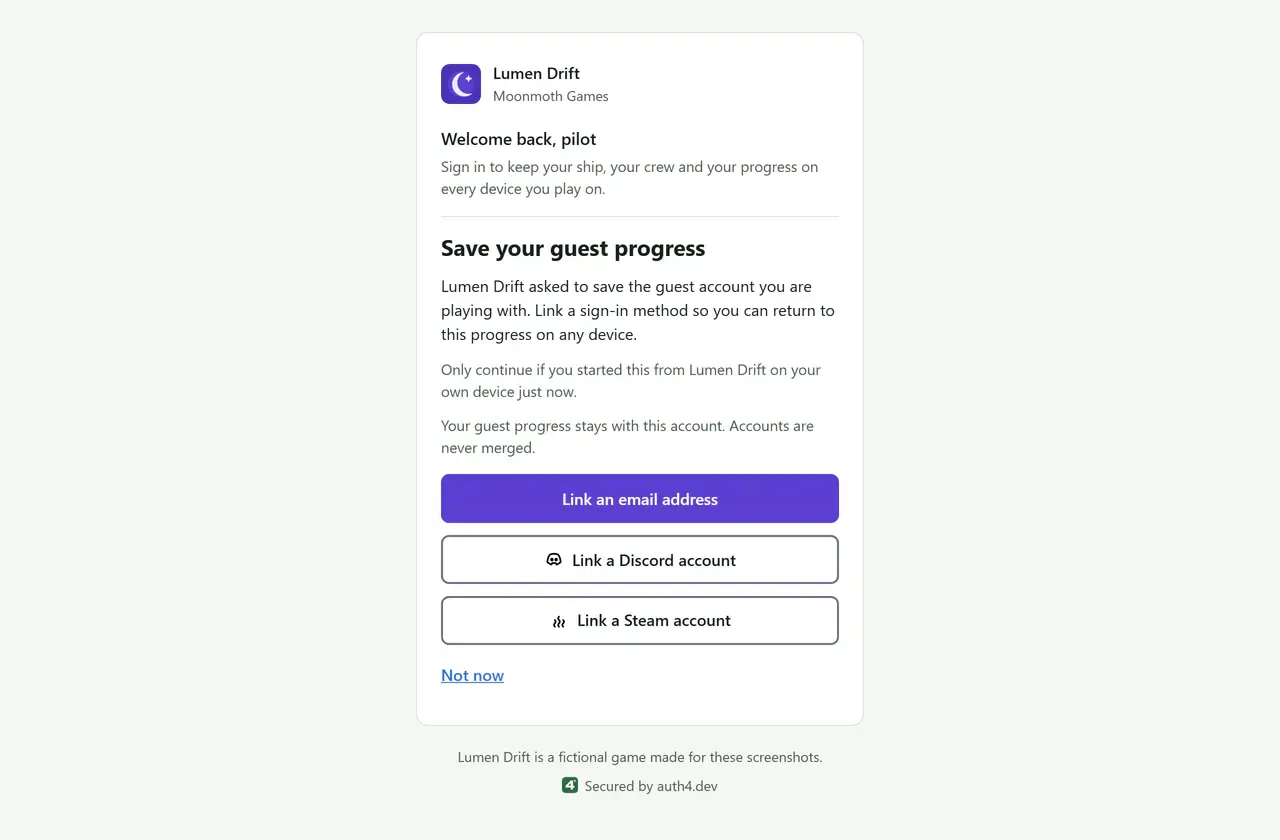
Guest upgrade, branded for Lumen Drift
A guest keeps their progress and user ID by linking an email address, Discord or Steam. Guest upgrade paths
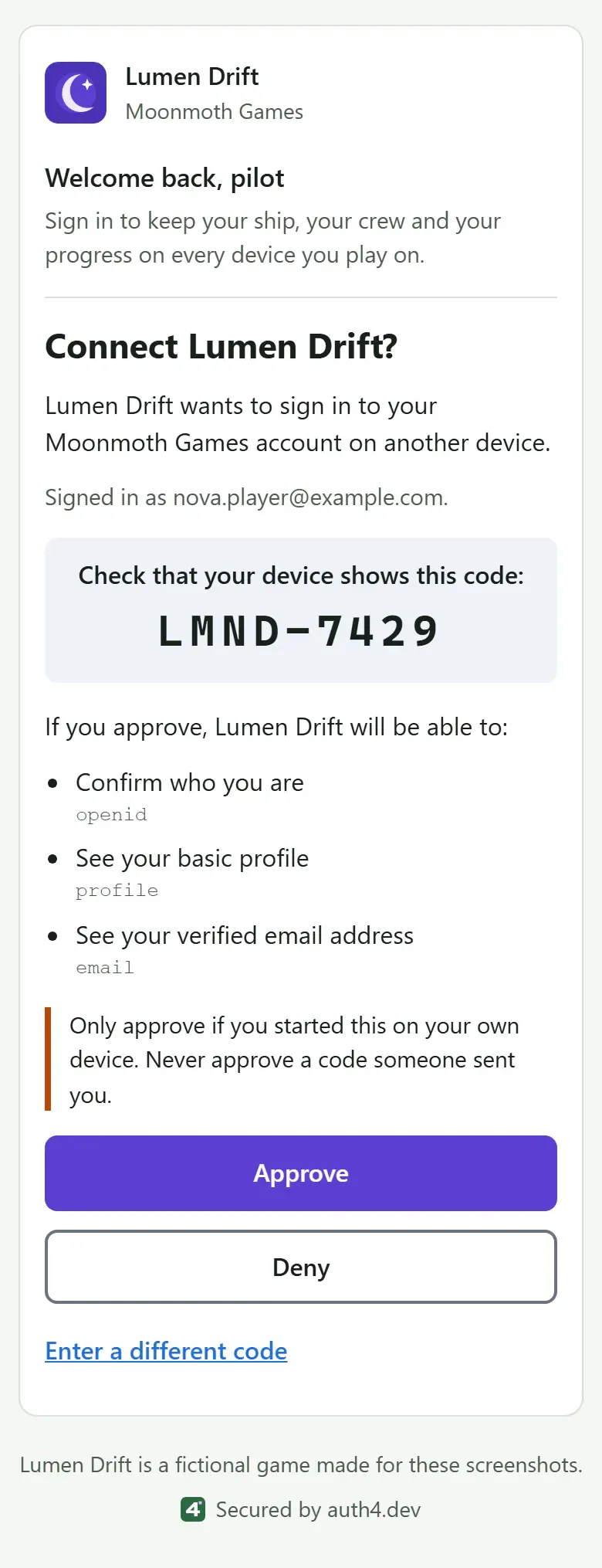
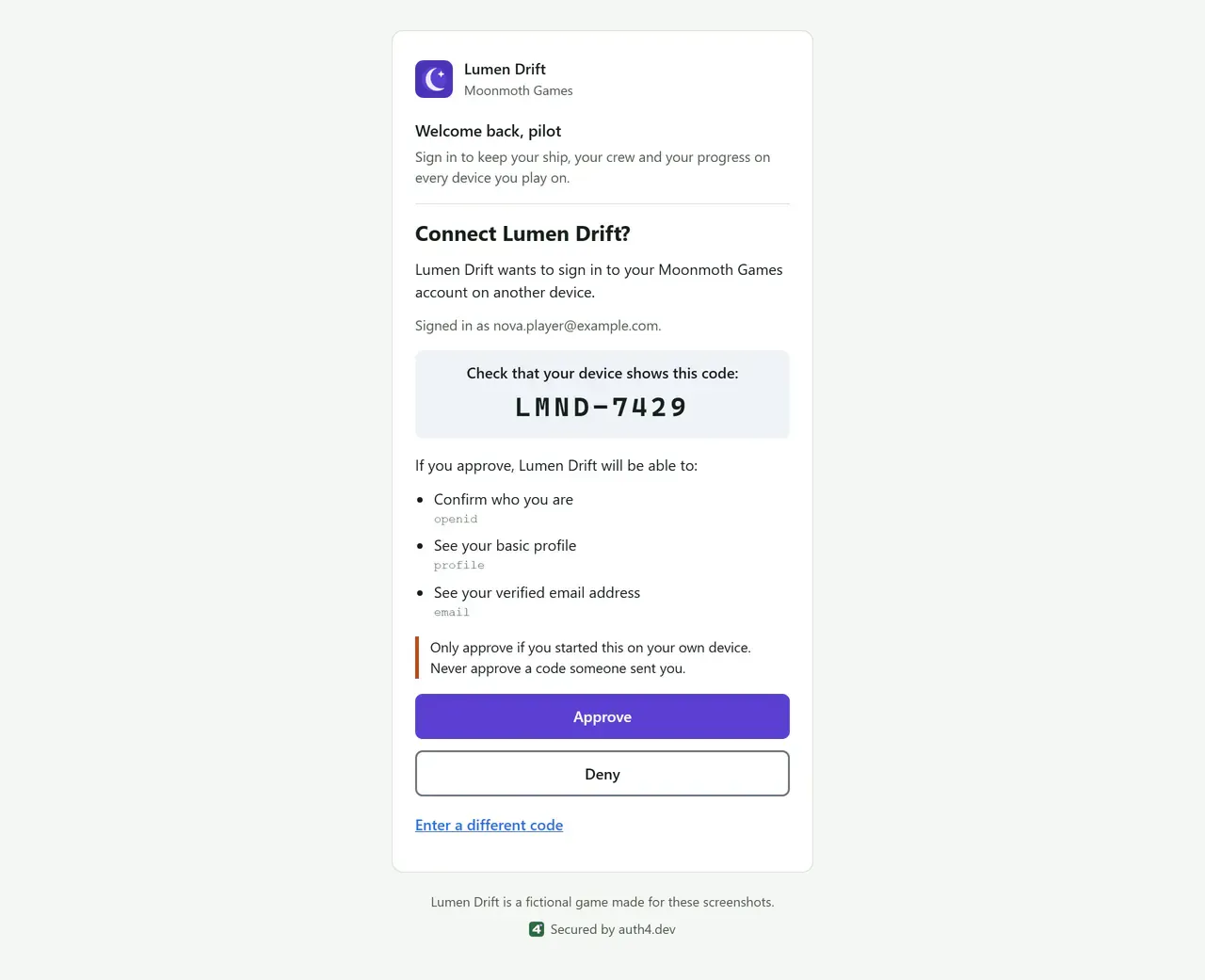
Device approval, branded for Lumen Drift
On a phone or PC, the player checks the code their console shows and approves the sign-in. Device sign-in
Built for games
Players want to play first and make an account later. auth4.dev is designed around that, from the first guest session to sign-in on the couch.
Guests first
Players start without signing up. When they add an email or a social account later, they keep the same user ID, so their progress stays with them.
Device codes
On consoles, desktops and handhelds, the game shows a short code and the player approves it on a phone or PC.
Steam
Players sign in through hosted login with their Steam account, and guests and device sign-in can use Steam too.
Verified email step
Steam and some other sign-in methods give you no checked email address. Hosted login can ask those players for one and a six-digit code before they return to your game.
Godot and Unreal
A GDScript addon for Godot 4 and a plugin for Unreal Engine 5, alongside Unity. Each has device sign-in, guest play and guest upgrades.
Discord
Players sign in through hosted login with the Discord account they already use for gaming.
Built on open standards
- OAuth 2.0 authorization code with S256 PKCE. Implicit and password grants are refused.
- A documented subset of OpenID Connect, with a separate issuer for each project.
- Device authorization (RFC 8628) for consoles, desktops and other native games.
- RS256 tokens that expire after five minutes, plus rotating refresh tokens with reuse detection.
Clear about what it doesn't do yet
- No enterprise single sign-on, and passkeys and passwords are for browser apps only. Social sign-in is limited to Discord, Steam, Google, Apple and Microsoft.
- No custom domains or custom claims.
- The Unity package isn't on OpenUPM or the Unity Asset Store yet.
Add sign-in to your game
Create a project, register your web app or game client, and follow a quickstart. Check what the plans include before you launch.